

How to register for Empower service?
Eligibility: Individual / company and owner / tenant
Procedure to do Online
- Visit https://e-services.empower.ae/
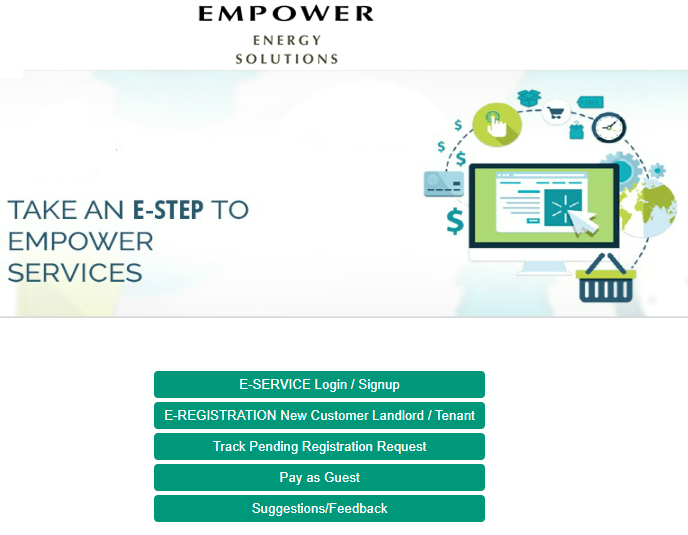
- For the new customer, select ‘E-REGISTRATION New Customer Landlord / Tenant’
- Enter your mobile number, email address to receive an OTP and click the link to register
- For the existing customer, select ‘E-SERVICE Login / Sign up’ and login using your user name & password
- Select New Registration Request
- Enter the DEWA premise number (which is on the top of your house main door) or select Project name, Building name and Unit number.
- Upload the required documents
- Click “Submit”
- You will receive a confirmation email / message in your registered mobile number along with the new account number and username.
- On the same day, cooling service also will be activated.
*If you require to upload additional documents, select Registration Request Enquiry
Documents required for empower registration:
Owner
Individual: Title deed or Sales & Purchase agreement and Passport copy.
Company: Title deed or Sales & Purchase agreement, Trade license and authorised person’s Passport copy.
Tenant
Individual: Tenancy contract, Ejari, copies of Visa and Emirates ID (front & backsides)
Company: Tenancy contract, Ejari, Trade license and authorised person’s Passport, Visa and Emirates ID (front & backsides) copies.
Empower Registration cost / charge / fee
Security Deposit:
- Residential – Flat/Apartment : AED 2,000
- Residential – Villa : AED 3,000
- Commercial – Office : AED 4,000
- Commercial – Villa : AED 5,000
- Retail stores/shops : AED 15,000
Connection Fee: AED 2,000 (One-time payment – applicable only to the first landlord)
Administration Fee: AED 1,000 (One-time payment – applicable only to the first landlord)
How to pay the registration charges / empower online?
- Visit https://e-services.empower.ae/MakePaymentForAccountPage
- Enter the account ID and make the payment
You can pay online using the link available in the payment notification which you will be received through SMS or email once the documents are approved.
Processing time: 1-3 business days
Empower Customer Care
Phone: +9714-559 2888
Email: billing@empower.ae
e-registration procedure email: erequest@empower.ae
How to track the empower pending registration request?
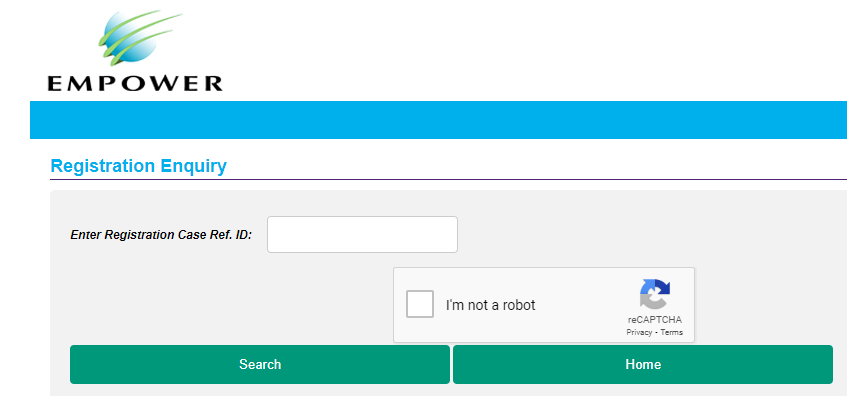
- Click https://e-services.empower.ae/RegistrationRequestEnquiry
- Enter registration case reference ID and check
FAQ’s
I have registered for empower. But why am not getting acknowledgement from empower or it is pending for an approval?
- You have to check any outstanding balance (if any) on active accounts under the name of the same individual/company.